
PDFixer for Windows: sign a PDF document locally with a real handwritten signature. Document stays on your PC. Download from the Microsoft Store
LOCAL WINDOWS PDF SIGNATURE SOFTWARE
Sign a PDF document — locally on Windows, without uploading
You have a document that needs a signature. A contract, an offer, a form, an approval. The fastest route is not an online tool that requires uploading your file to a server you do not control.
PDFixer runs on your Windows PC. Open the document, place your handwritten signature, save the signed PDF locally. The document never leaves your machine.
⚡ Launch discount: use code PFX20 and pay only €29 instead of €49 · Valid for the first 100 licences.
✓ 14-day free trial · ✓ One payment, 3-year licence: €49 excl. VAT ·
✓ No subscription · ✓ No auto-renewal
4.7 ★★★★★ Made by the team behind Fabreasy · 38 reviews on Capterra · used by over 1,000 professionals · Dutch Windows software
The practical problem with signing a PDF document online
Online tools — PDF24, Smallpdf, Sejda, PDFgear, iLovePDF, PDFCandy — all work the same way: upload your document, sign it in the browser, download the result. For a generic public document that approach is fine.
For most business documents it is not. A contract contains customer names, pricing and terms. An offer contains your pricing strategy. A personnel form contains private data. An approval document may be subject to confidentiality obligations.
Uploading those documents to a third-party server — even one that claims to delete files after an hour — is a risk that is simply not necessary when local signing software exists.
PDFixer signs PDF documents entirely on your Windows PC. Nothing is uploaded. The document stays where it belongs.
How to sign a PDF document with PDFixer
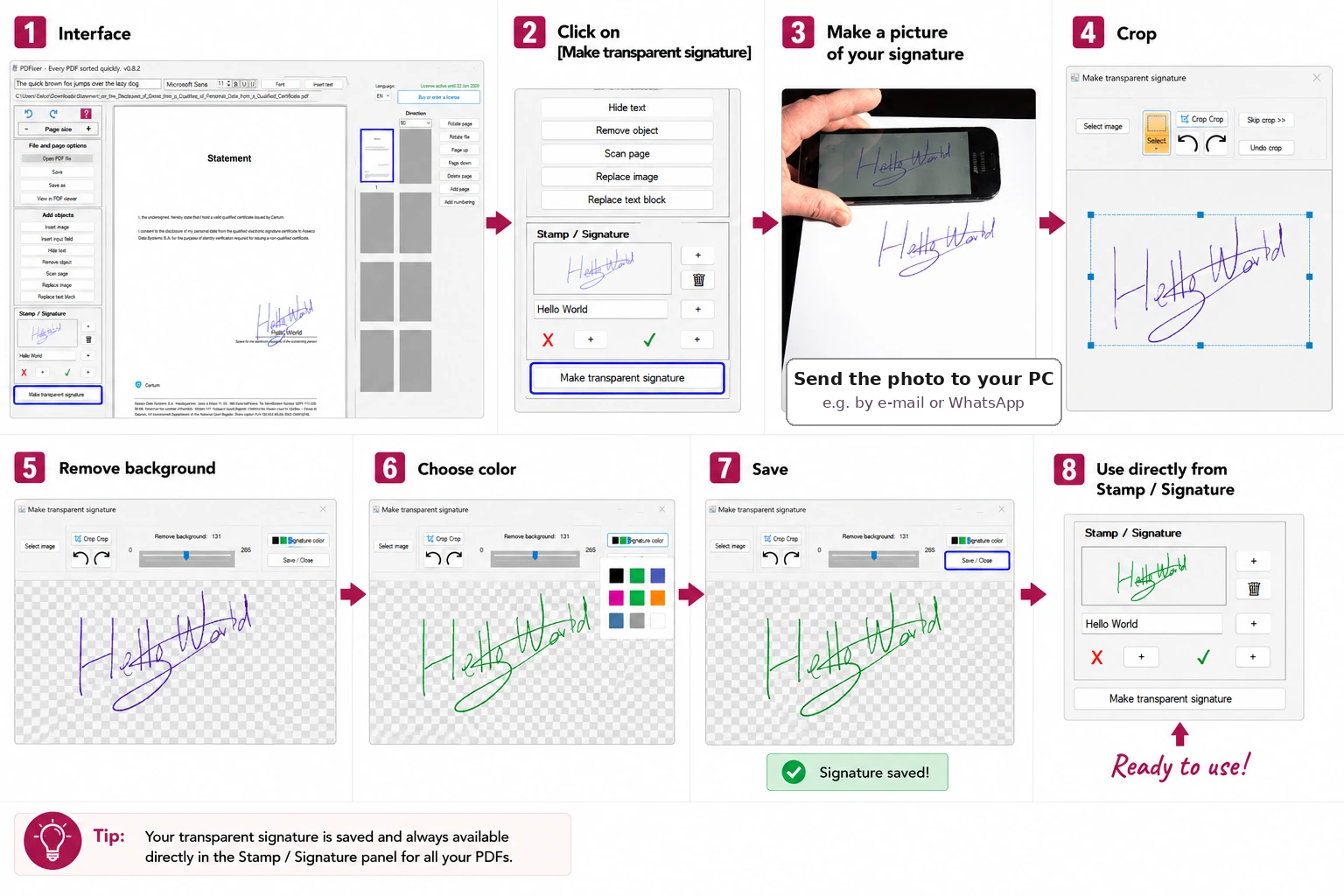
Quick answer: open the document in PDFixer, photograph your signature, remove the paper background, place the transparent signature on the correct page, save locally.
- Open the PDF document in PDFixer on Windows.
- In the Stamp / Signature panel, click Make transparent signature.
- Write your signature on plain white paper. Blue or black ink gives the cleanest result.
- Photograph your signature with your phone and send the photo to your PC by email or WhatsApp.
- Import the photo into PDFixer. Adjust the background removal slider until only the handwriting remains.
- Save the transparent signature as a preset — you will reuse this on every future document.
- Place the signature on the correct page. Resize and align it with the signature line.
- Save the signed PDF locally. Nothing has left your machine.
Once the preset is saved, signing the next document takes under thirty seconds.
From photo to clean document signature
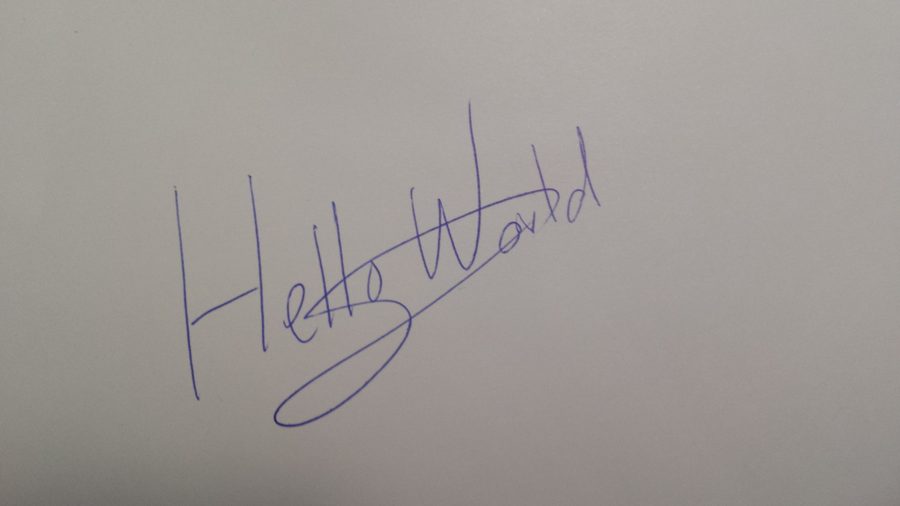
Before
Paper background included

After
Clean transparent signature
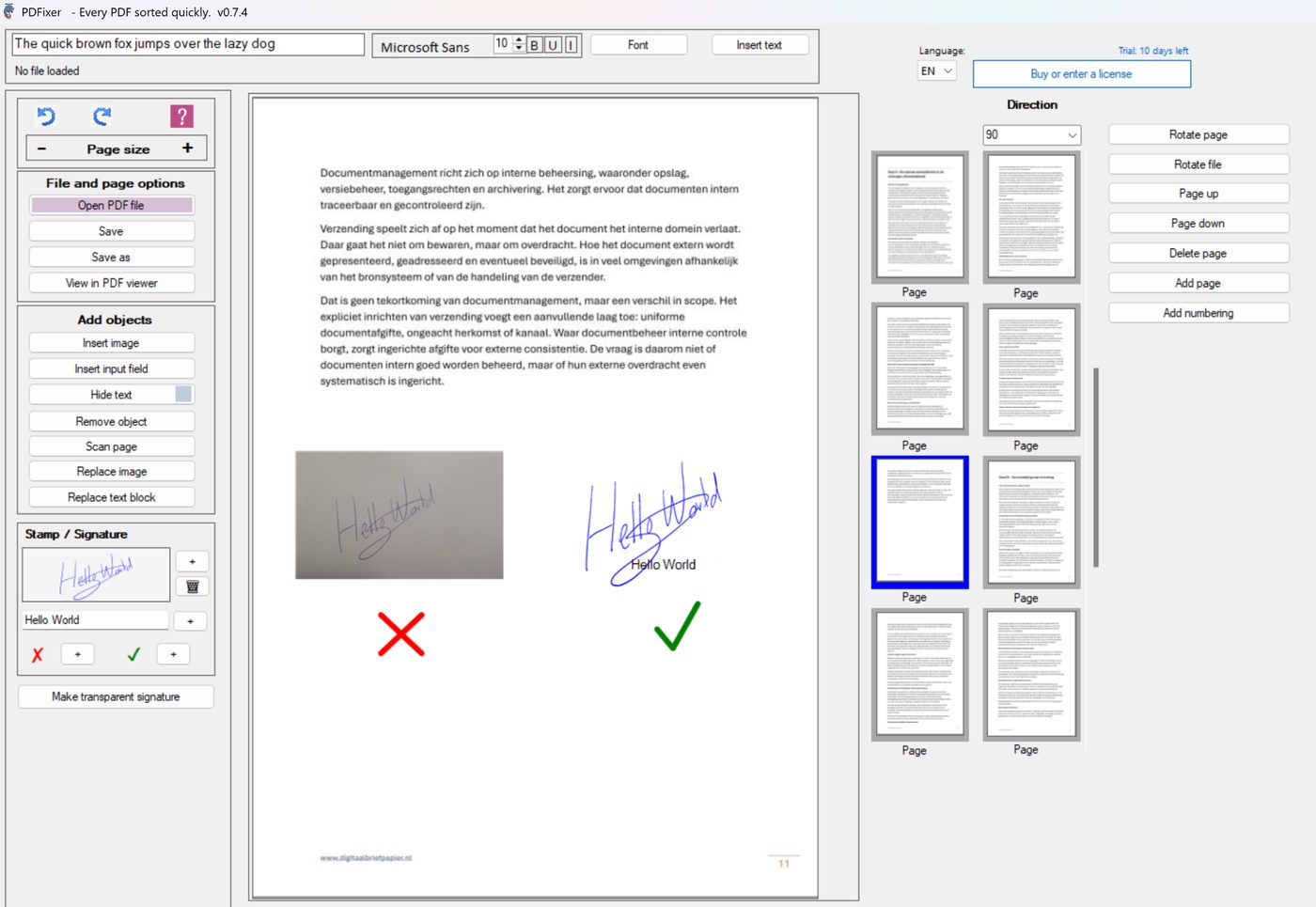
PDFixer removes the paper background before the signature touches the document. The signature line on the page remains visible underneath. The result looks genuinely handwritten, not digitally pasted.
Contracts and agreements
Place your handwritten signature on the correct page and signature line. The contract stays on your PC. No third-party server receives the file at any point.
Offers and invoices
Sign your offer or invoice before sending. Save the signed PDF locally and attach it to your email directly. The signature preset makes repeat signing take seconds.
Forms and approval documents
Add a signature, approval mark or stamp to HR forms, administrative documents and internal approvals without printing a single page.
PDFixer versus online PDF document signing tools
For confidential documents the choice between local and online signing is not just about convenience — it is about where your document goes during the signing process.
| Factor | Online signing tool | PDFixer (Windows) |
|---|---|---|
| Document uploaded to server | Yes — required to process | ✓ Never — stays on your PC |
| Background removal from signature photo | Rarely available | ✓ Built-in — one slider |
| Reusable signature preset | Session only — lost after closing | ✓ Saved permanently in panel |
| Works without internet | No | ✓ Fully offline on Windows |
| Price model | Free with ads or freemium subscription | ✓ €49 one-time, 3-year licence |
| Also stamps and approval marks | Usually not | ✓ Yes — same workflow |
Signing a document versus certifying one
There are two fundamentally different things people mean when they say “sign a PDF document”.
The first is placing a visible handwritten signature image on a PDF page — exactly where the signature line is, at the right size, without a white rectangle around it. This is what PDFixer does. No certificate, no account, no upload.
The second is a certified electronic signature under eIDAS or a similar legal framework — with identity verification, a cryptographic certificate and an audit trail. This is what DocuSign, Adobe Sign, Foxit eSign and iLovePDF Sign do. Those tools exist for contracts that legally require a verified identity attached to the signature.
PDFixer is not an e-signing platform. It is the right tool when the practical task is to make a PDF document look signed and ready to send — without the complexity of a formal signing workflow.
Who uses PDFixer to sign documents
PDFixer is built for the professionals who sign documents every day as part of an ordinary office workflow — not as an exception.
- Accountants and bookkeepers who sign client correspondence, declarations and approval forms.
- Office managers and administrators who process purchase orders, HR forms and internal approvals.
- Small business owners who sign offers, contracts and delivery documents before sending.
- Legal support staff who add signatures or approval marks to documents that contain confidential client data.
- Anyone who still prints, signs and scans — PDFixer eliminates that workflow entirely.
Made by Fabreasy, a Dutch software company. Trusted by over 1,000 professionals across the Netherlands, Germany and beyond.
FAQ — signing a PDF document
How do I sign a PDF document on Windows?
Does my document get uploaded when I sign it in PDFixer?
Why does my signature look like a white box on the document?
Can I reuse the same signature on multiple documents?
How much does PDFixer cost?
Is a signed PDF document legally binding?
Can PDFixer also add a stamp or approval mark to a document?
Sign your PDF document — locally, in minutes
Download PDFixer from the Microsoft Store. 14-day free trial. One payment, 3-year licence: €49 excl. VAT. No subscription.
✓ 14-day free trial · ✓ One payment, 3-year licence: €49 excl. VAT · ✓ No subscription · ✓ No auto-renewal
4.7 ★★★★★ Made by the team behind Fabreasy · 38 reviews on Capterra · used by over 1,000 professionals · Dutch Windows software